
Give AI more waysto connect.
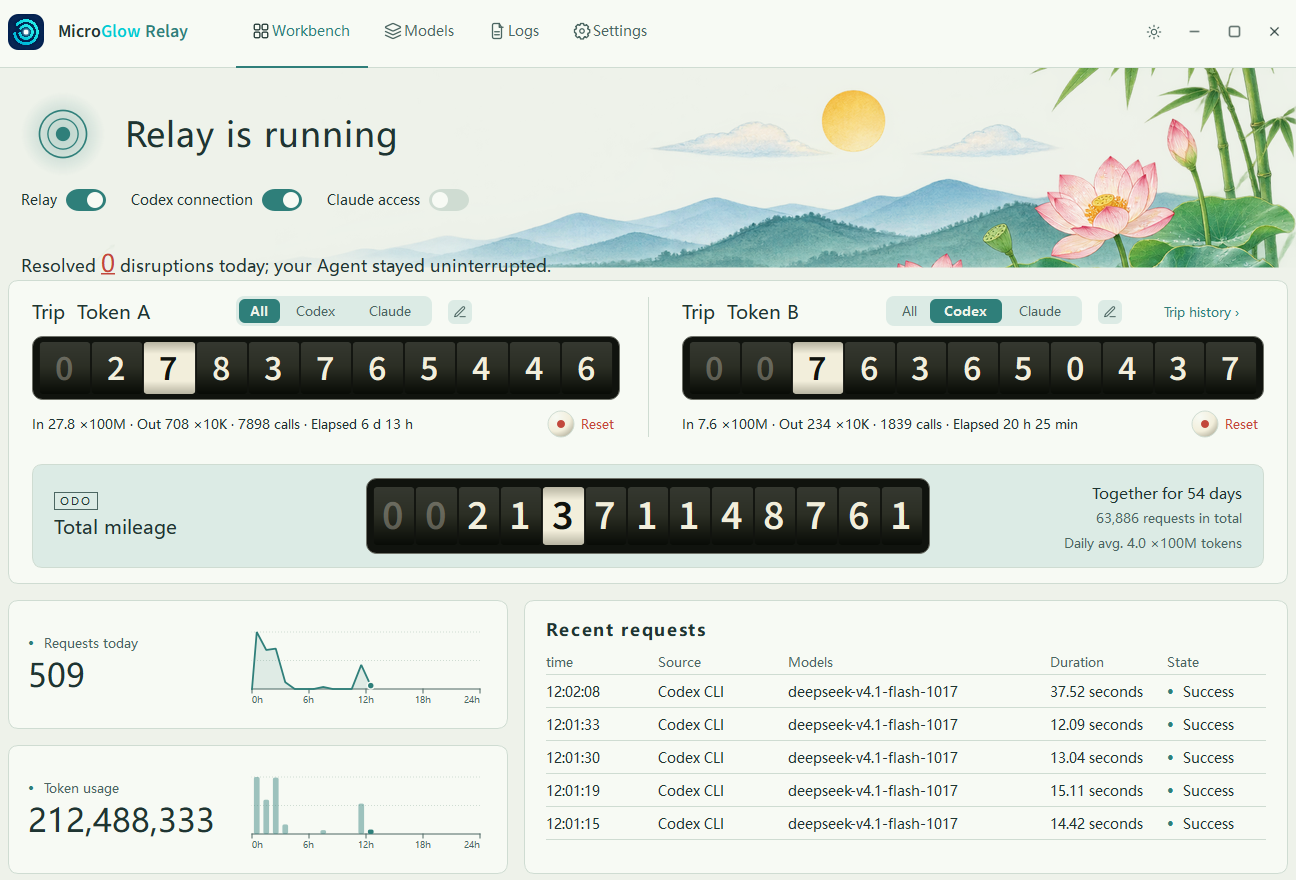
Connect Codex and Claude Code to models with multiple channels. When an upstream channel falters, Relay tries a configured backup.
Windows 10 / 11 · Linux amd64
See how to connect the clients
Enter the endpoint and API key, add a model and a backup channel, then enable Codex or Claude Code access.
Codex
Connects through Codex's config file; configured models appear in Codex's model picker.
~/.codex/config.tomlClaude Code
Connects through Claude Code's settings file; type the same model name with /model, or follow Relay's default.
~/.claude/settings.jsonBoth integrations are reversible and backed up; a normal Relay exit restores them. Claude Code applies the change after its session restarts.
Same model, multiple channels
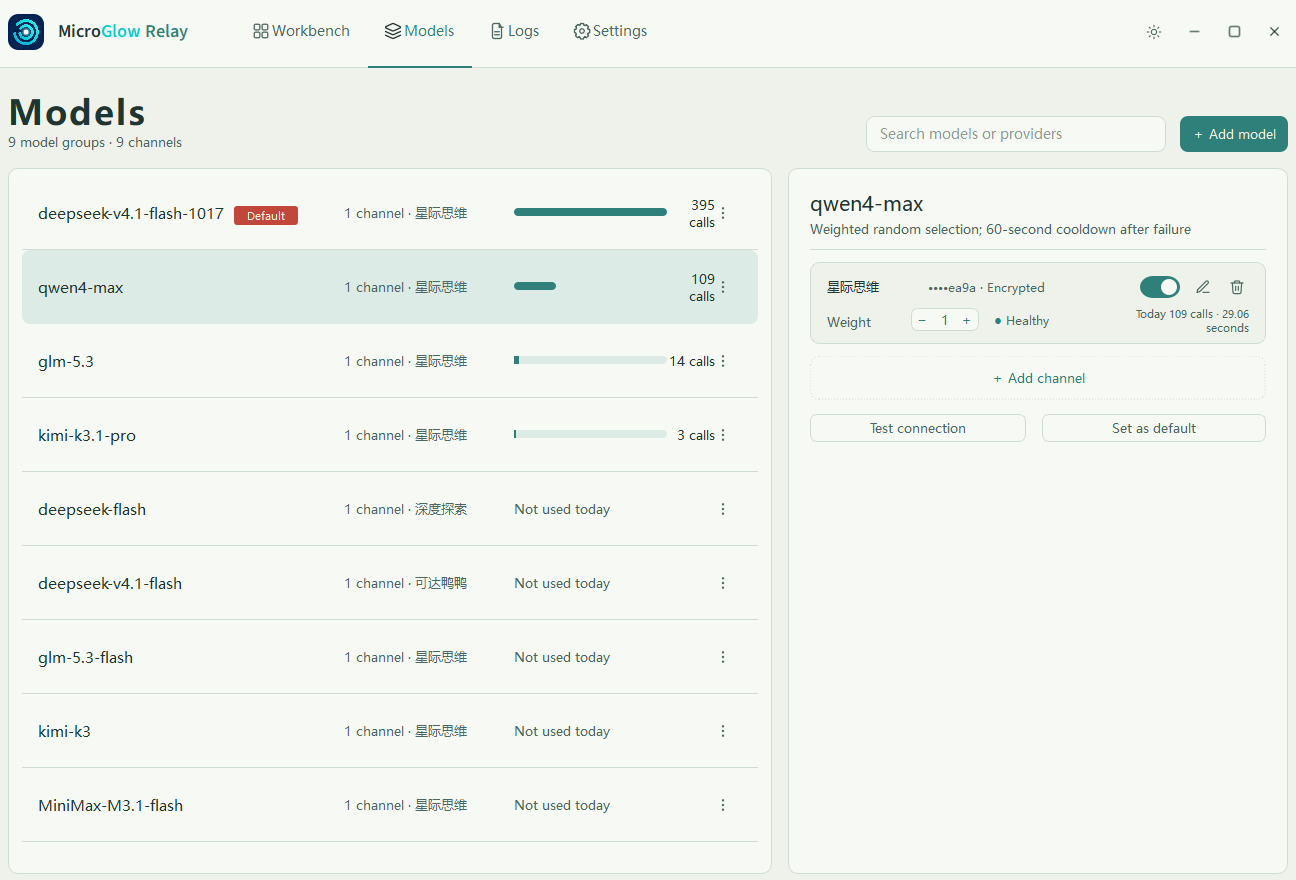
Codex and Claude Code connect to one local endpoint. Relay switches channels within the same model group, so there’s no need to reconfigure the clients.
- Set up multiple upstream channels for a model. Relay normally picks from healthy channels according to their weights.
- If a channel hits a rate limit, times out, or returns a server error before the reply starts, Relay automatically retries the request over another enabled channel in the group when one is available.
- Failed channels briefly cool down. The live log shows channel switches and retries.
Compatible with OpenAI Responses, Chat Completions and Anthropic Messages upstreams
Multilingual support
Relay’s desktop app supports 8 interface languages. Choose one under Settings → Appearance → Interface language.








TRIP TOKEN
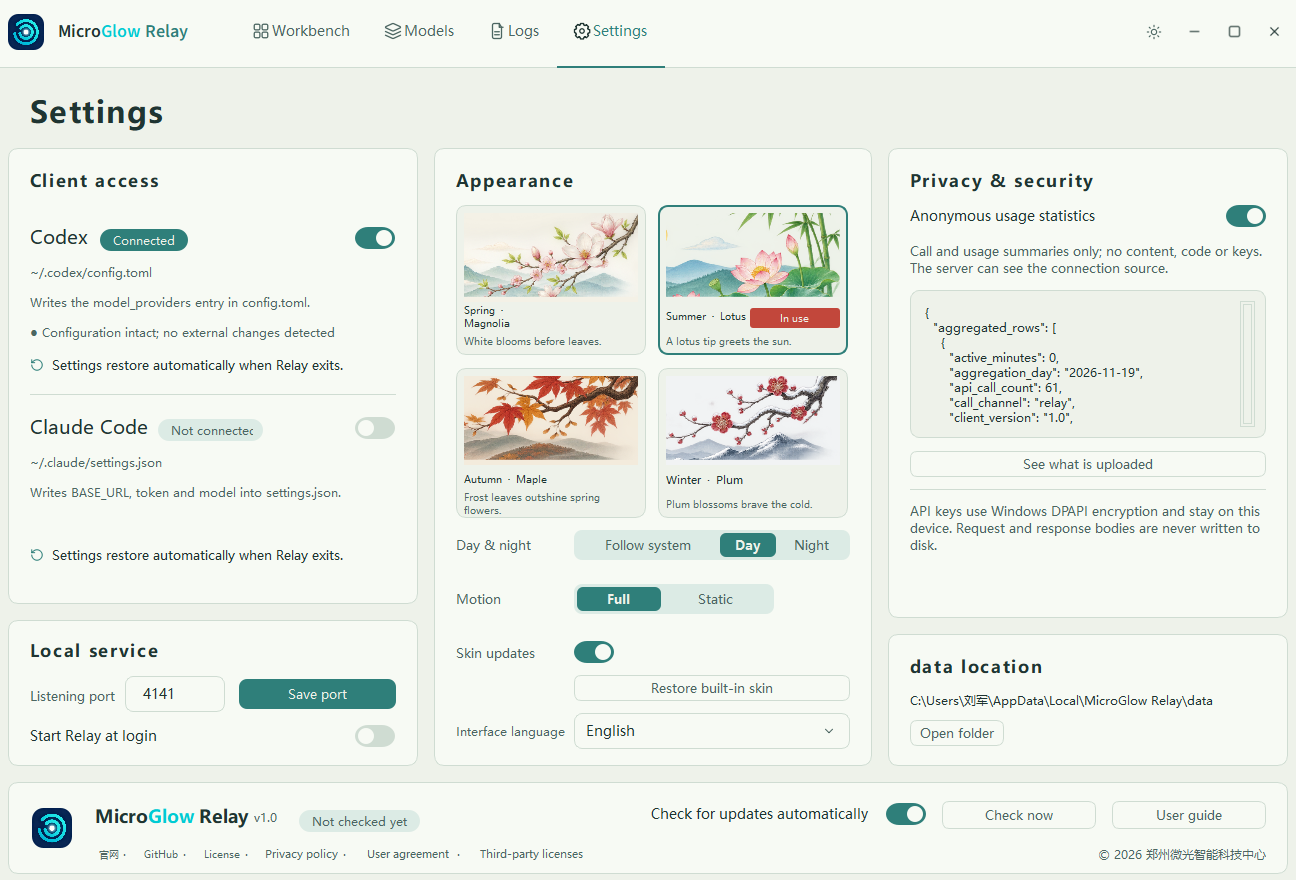
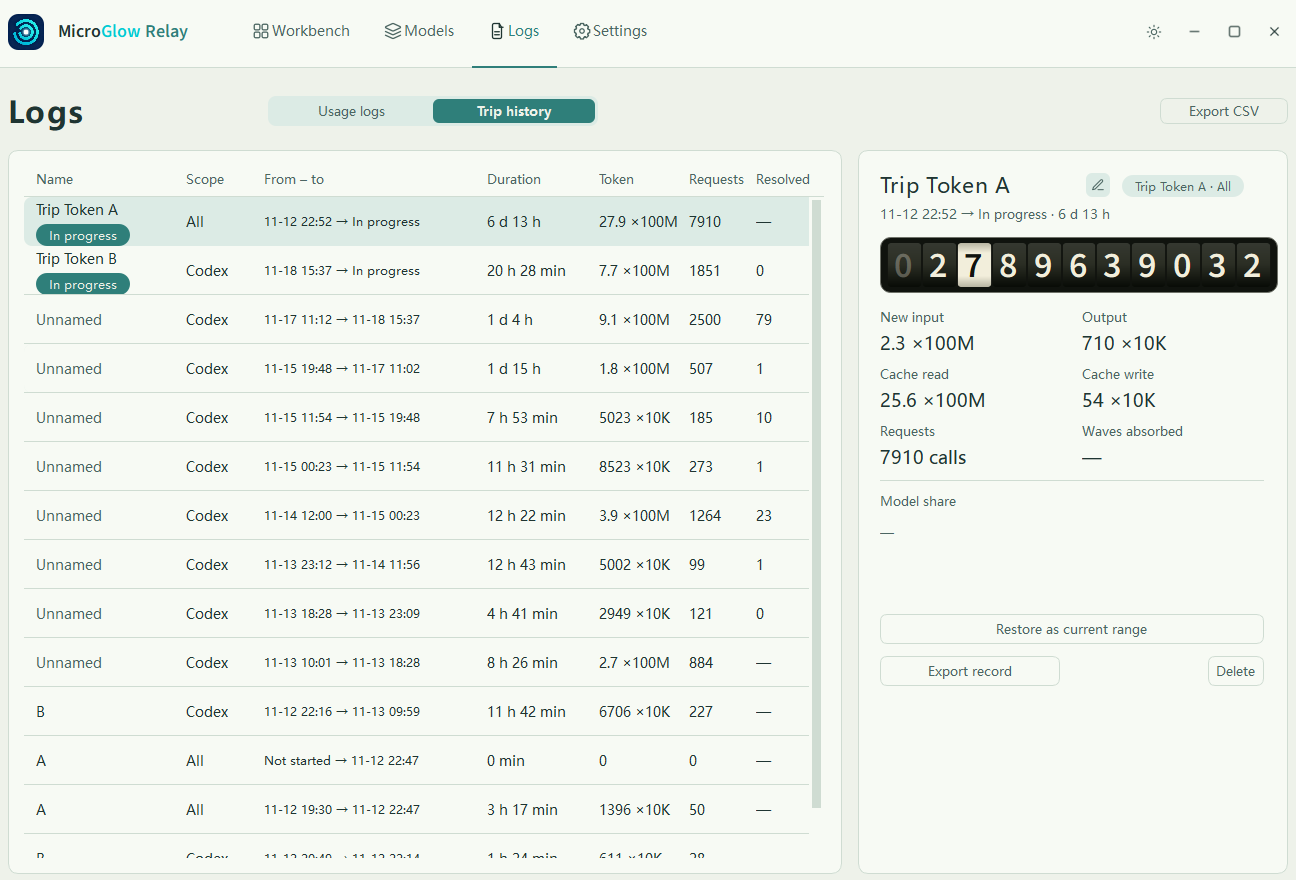
Use the A and B counters to track token usage for separate tasks. Each resets independently and keeps counting across days and restarts.
See what Trip Token tracks
- Independent A / B subtotals, each with its own name
- Three views: all, Codex and Claude
- Input, output, call count and elapsed time
- Reset keeps history and files the interval in the trip ledger
Seasonal appearances
Switch between four ink-wash themes in the workbench, from spring magnolias to winter plum blossoms.



Download Relay
Windows
Windows 10 / 11 · 64-bit · 54.1 MiB
- SHA-256
CF8DD51A4F430F88A5F83E0D5DF01A2A33049E546DB2672EC1C15ED722C17B5C
The installer is not code-signed yet, so Windows may show a SmartScreen prompt.
The docs folder in the install directory contains the user guide, user agreement and privacy policy.
Linux
Debian 11+ / Ubuntu 20.04+ · amd64 · 69.6 MiB
- SHA-256
6ED30758C2EC0C679A7EA107BEB1B1CBED2BDDC55BAA14091C95FFD2F68EC26C
Install: sudo apt install ./microglow-relay_1.3_amd64.deb
Uninstalling keeps your data under ~/.local/share. Linux updates install from a fresh download.
Source code
Relay is Apache-2.0 open source. Client integration, protocol translation and channel scheduling are all in the repository.
Product resources
Logs and usage
Requests, token usage, success rate, model share and a live log on one page. Rate limits, timeouts and unavailable services fall into standard error categories, marked as resolved or not.
- Usage by day, week, month, quarter or year
- Live log marks takeovers and retries
- Usage records can be exported
Local work. Clear boundaries.
Relay listens only on 127.0.0.1:4141 by default. API keys and the local access token are protected by Windows DPAPI on Windows and the system keyring on Linux; request bodies are not written to disk, and activity records keep only status, duration and token counts.
- Anonymous statistics require explicit consent before any UTC daily aggregate is uploaded
- Country is inferred only on the server; the client sends no country code
- Data directory and uninstall behavior are visible in Settings
See what's new in 1.0
1.0 reorganizes the workbench, navigation and access model, and adds a Linux build. Models are no longer just a list; they form a local network you can route, observe and measure.
Planned · Tell us what you need
Switch models, keep the session.
Native Codex models and the third-party models routed through Relay already run side by side and can hand work to each other. Cross-model session continuity is still on the roadmap and is not part of this release.